reloading: Athlon Rangecraft first look
 The Athlon chrono arrived quickly, safely, and on time from GovX. The $299 price there was the lowest I’d found anywhere, but I had been leery of GovX because of the incredibly cheesy tacticool commercials.
quick look-see
Connected to USB for charging and paired by Bluetooth to the app to update firmware. I had to exit the app and reconnect to make it understand it was already updated.
My current process is to start a VOX-triggered recording app on my phone and call out the observed velocities for later recording into a spreadsheet. In theory the app can make the data into a file for spreadsheet import but we will see when I can actually attend the range.1
Update: the badge came in the mail this afternoon so I’ll head to the range tomorrow morning.
wishlist
These features might be implemented later in firmware, or might already exist and be missed by my initial look-over. I don’t have any other radar chronos so I don’t know if they are implemented in other units.
- I’d like the unit to provide access to the internal memory (MTP) when plugged into USB. This way we could directly pull data into the PC. Or push data, see below.
- I’d like to be able to config the unit from the app
- I’d like to be able to start and use sessions from the app since the phone will be next to me and the chrono ahead of me.2
- I’d like to import data from .csv files dropped into memory from the PC
- I imagine describing a ladder test in a spreadsheet, uploading it, and being able to choose NEXT CHARGE WEIGHT (4.0 gr) while shooting the ladder
- setting up RIFLE and BULLET profiles from .csv definitions for later use
-
my membership has been approved and fee charged for the range but I don’t have the badge in the mail yet. This private range is unattended and they use ID badges worn on the person to indicate one’s permission to be there. I don’t have a problem with it. ↩
-
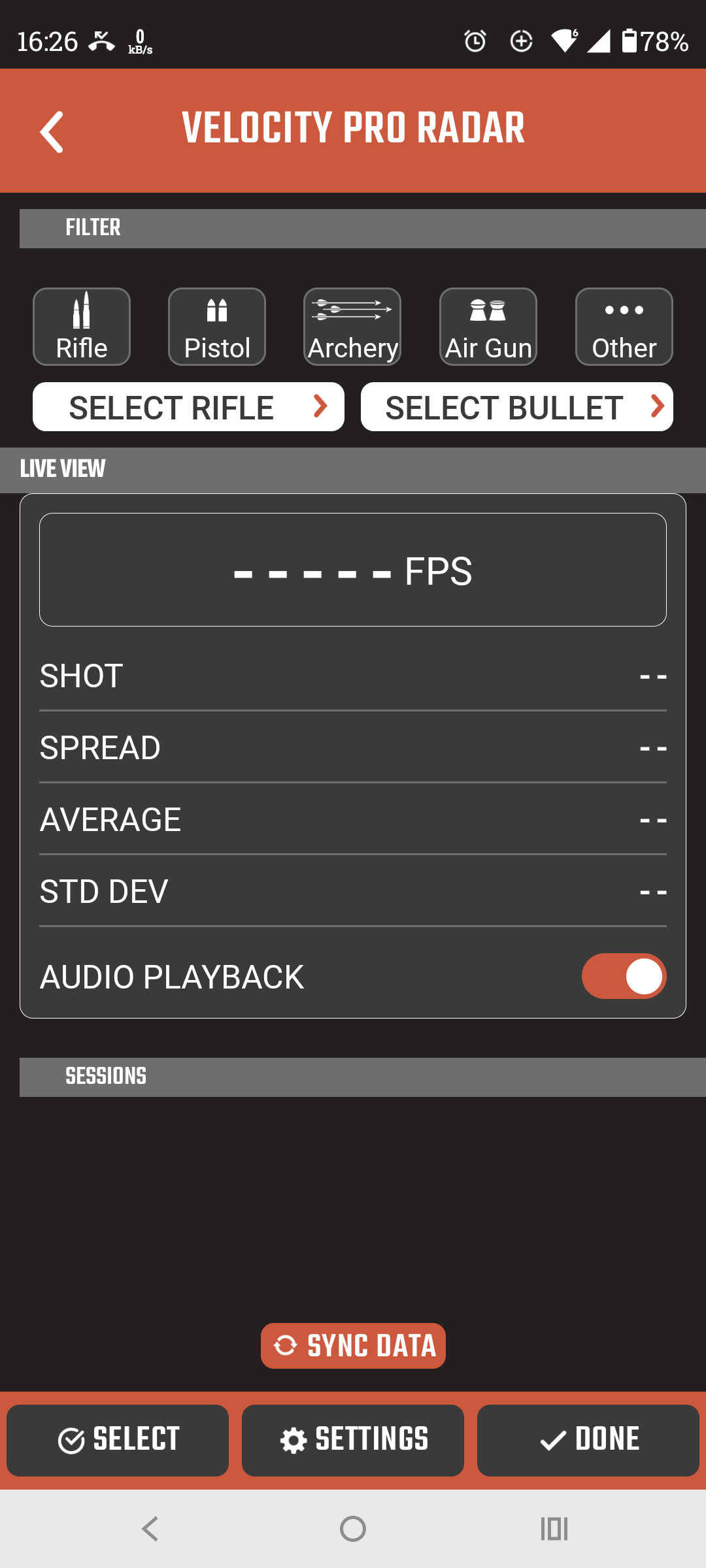
Looks like they are half-way there; the release notes for 1.40.81 say “Live sessions with real-time velocity tracking”. Looks like this. <- blank session since it’s on my desktop instead of at the range. ↩